Objective
The goal of this stage of the design thinking process was to visually explore different design possibilities and test how users interact with them before investing excessive time into a design that has many flaws. This goal was achieved by creating paper prototypes that represented the flow of 3 tasks/features. Then, I used cognitive walkthrough forms to document the actions and issues that my 2 participants experienced.
AI Usage
While creating paper prototypes for my social time scheduling screens, I used Figma Make to help me generate screen ideas since I had trouble visualizing how they would be laid out. I had played around with Figma Make before to see what the final app could look like, so I created a new prompt that specifically addresses viewing collective free time.
Prompt: Create a scheduling/calendar app that has a feature where you can view a calendar of your and your friends’ collective free time. Users also have the option to edit which parts of their free time they would like to show to their friends.
Results:
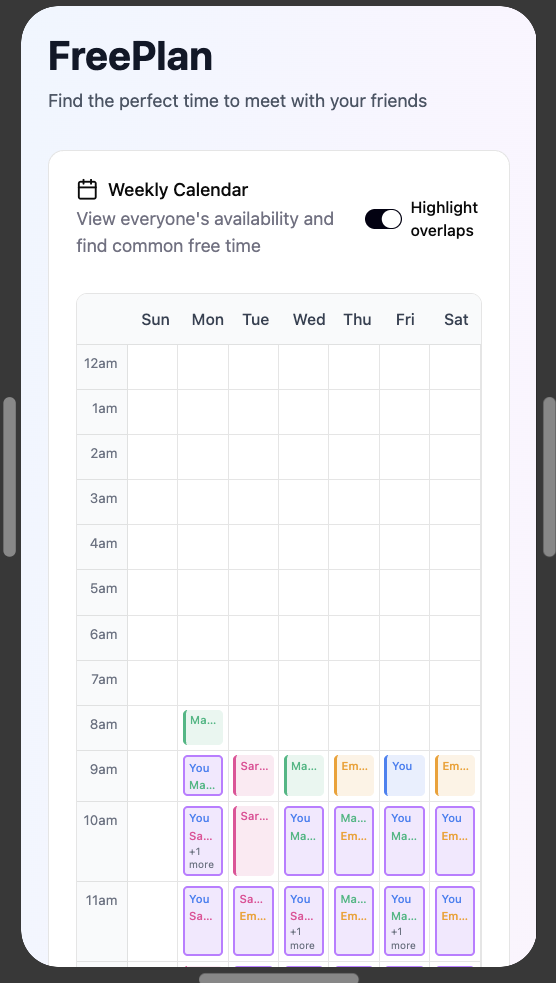
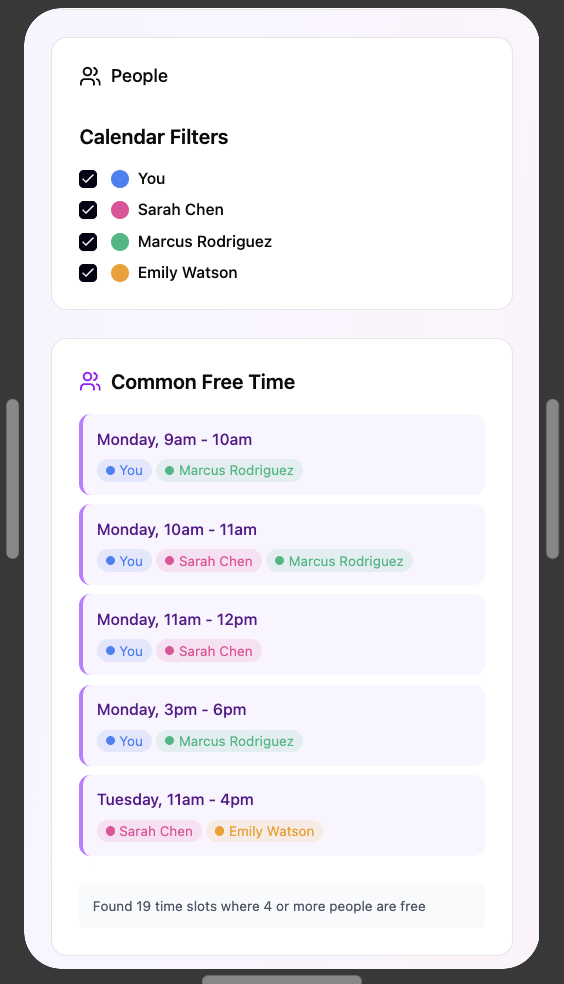
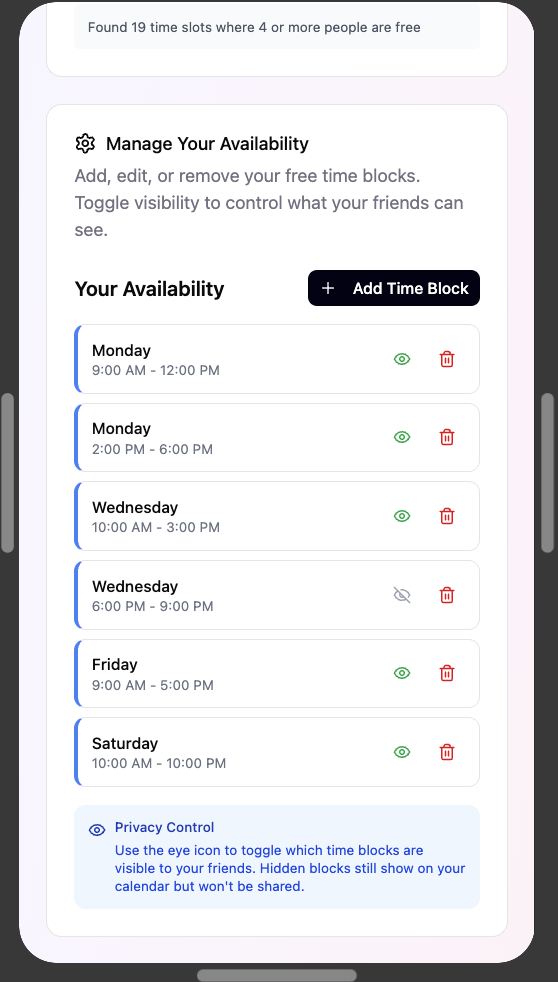
Before, I imagined a separate calendar that displays the overlapping free time between friends, but I realized that it could be confused with the main calendar. In my paper prototypes, I implemented the calendar filters, a common free time GUI, and the ability to manage your availability from Figma Make.
Benefits and Challenges
From Figma Make, I learned about so many more prototype interaction features that Figma was capable of. It also helped me come up with design possibilities that I would have never thought about.
The cognitive walkthrough forms gave me a place to organize each of my tasks and the corresponding actions needed to complete them. I found it super helpful to take notes about what the participants were saying as they were thinking aloud to find where any confusion or issues stemmed from. Seeing how my participants navigated the prototypes allowed me to see areas of designer/user mental model friction, which helped me come up with new ideas that didn’t make the users think. Through the tests, I also learned that system feedback was crucial, so that users know when their actions were successful.
Challenges and Reflection
It was difficult for me to figure out where to start when I began the paper prototypes, but I learned to take it step-by-step with each part of the user flow diagram. While I was creating sketches for the prototypes, I kept coming up with new ideas and realized that some aspects were unclear, so I was constantly reworking each frame. This taught me that I shouldn’t be caught up in one design possibility, and that it’s okay to trash ideas.