Objective
The objective of this design stage is to transform the paper prototypes into a polished hi-fi prototype through improvements from peer feedback and referring back to our problem. This stage helped me refine the visual design and improve prototype interactions.
AI Usage
During the initial hi-fi prototype, I struggled with finding inspiration for the rescheduling screens in my app. I attempted to generate screens through FigmaMake, but found the result to be underwhelming, so I tried Base44 instead. This vibe-coding website created a great starting point for my design.
Prompt: “Context: I am creating a scheduling/calendar mobile app. For this session, I want to focus on the feature: AI-assisted rescheduling. Generate a mobile app that allows users to select which dates they would like to reschedule. After dates are selected, the system should show all events connected to those dates. Users are able to unlock and lock which events they prefer to be rescheduled and provide any important notes to the AI. After AI generates the new schedule, it should provide reasoning for doing so.”
Base44 Result:
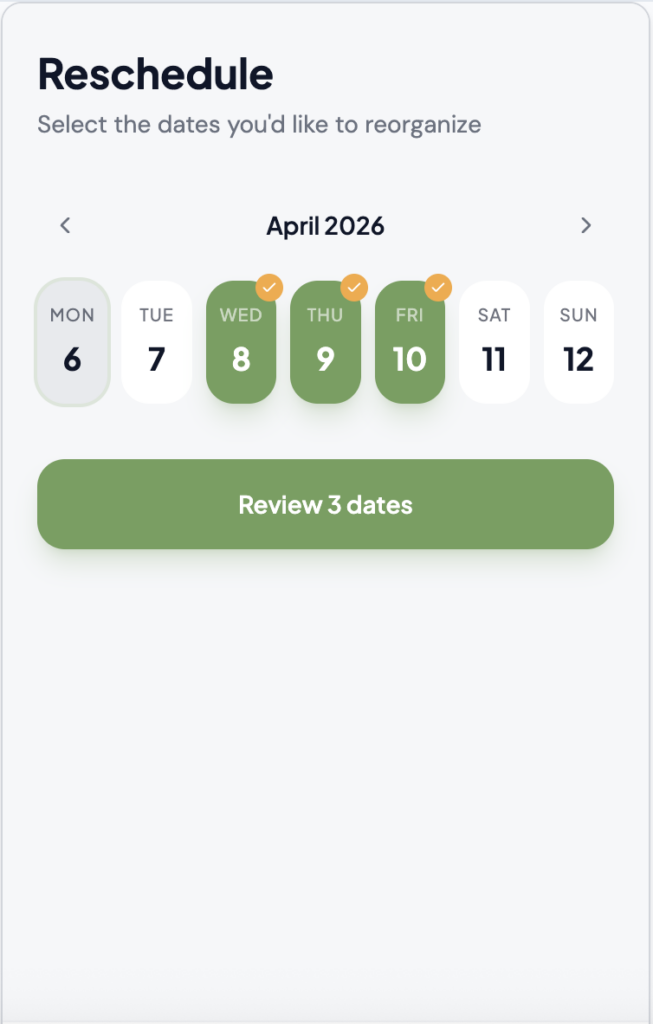
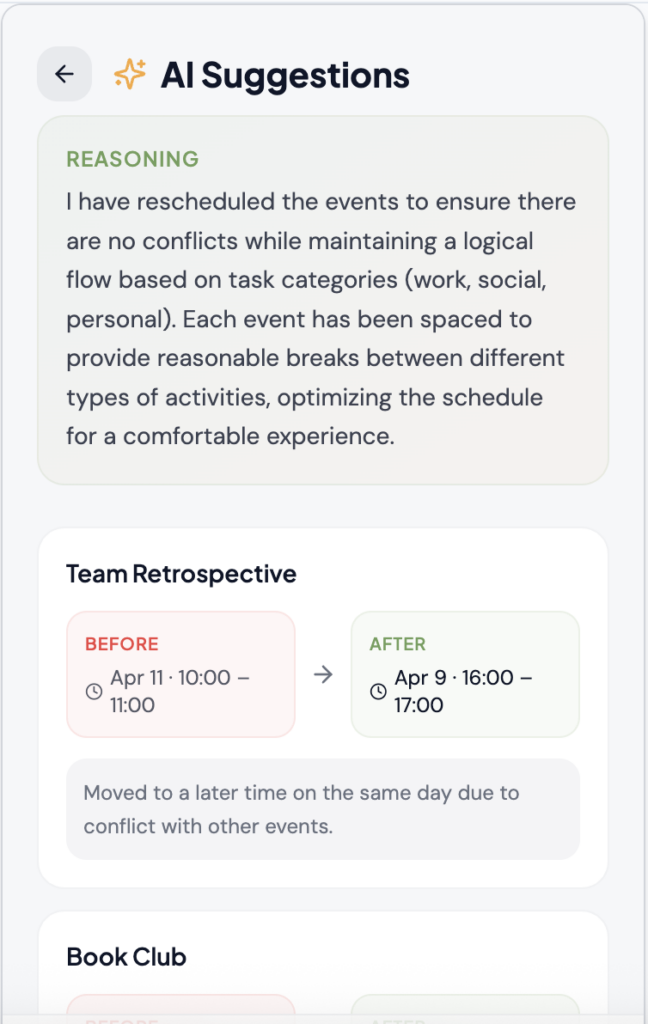
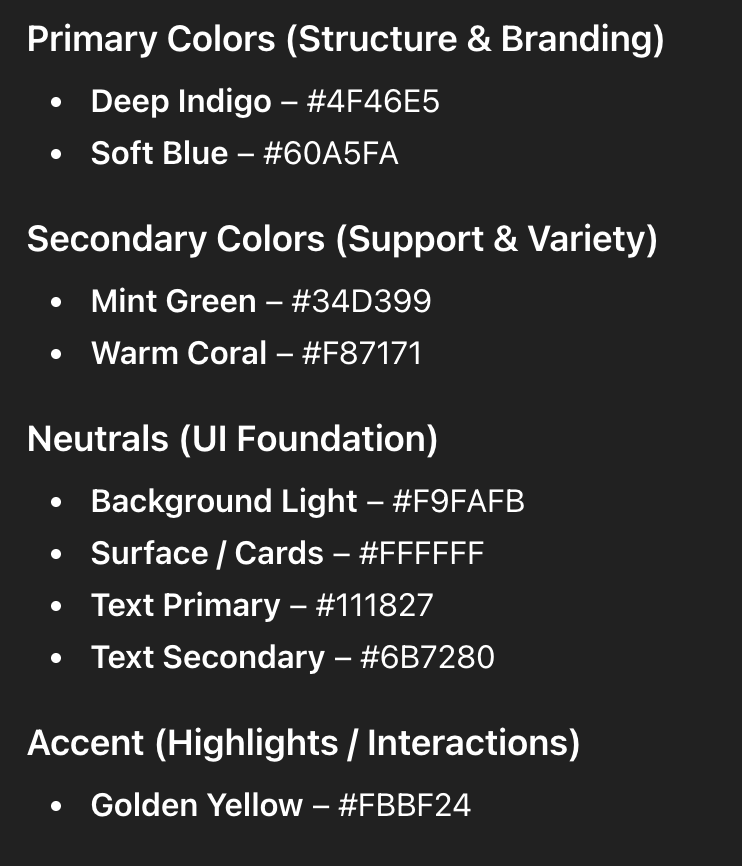
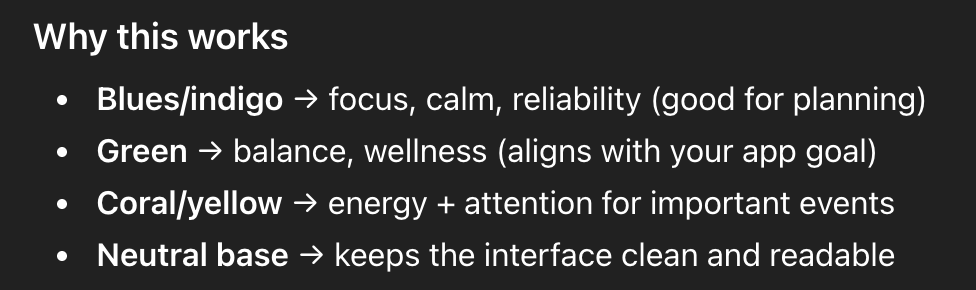
Additionally, I used ChatGPT to assist with the color palette in the app. I had doubts about my initial colors because I felt as though they lacked expressive colors, but the results that the AI gave me felt too overwhelming for a scheduling app.
Prompt: “Generate me a color palette for an AI-assisted scheduling app.”
ChatGPT Result:
Challenges
With peer evaluation, I got helpful feedback about how the rescheduling feature caused a lot of confusion. I had difficulty brainstorming how to make the interface and interactions easier to understand because it required a specific way of being displayed. Every time I had an idea, there would still be potholes. With help from my professor, I kept the invocation of the rescheduling feature on the home screen, just with a tap-and-hold interaction instead of a button. I also created a day view of AI’s reschedule results, so that users could visualize their new schedule.
Nearing the end, I felt as though the prototype didn’t align with my original design problem. I decided to keep the problem the same, but added a feature where users could toggle their self-care preferences (sleep schedule and social time). This way, the app’s support for self-care and socialization becomes more apparent.
Reflection
I found that using AI as a foundation for designing was incredibly beneficial in circumstances where I experienced a design block. With its suggestions and results, I was able to improve the UI with my own creative input. I realized that when I was designing, I was relying on my own mental model, which was problematic. After conducting peer evaluations, I started asking for advice from classmates whom I don’t regularly ask, and it allowed me to gain so many new perspectives and improve my hi-fi prototype.