

AIX Design: Prototype Hi-Fi, Test & Iterate
We’ve been through it all, so what is my final stance on AI?
Objective
The objective of this stage in the design thinking process was to transform initial concepts from previous phases, sketches and low-fidelity wireframes into a fully interactive high-fidelity (hi-fi) prototype. In turn, this allows us to evaluate its usability, and refine the design based on feedback. Specifically, this phase focused on:
- Enhancing visual design and interaction quality
- Integrating and refining AI-driven features
- Identifying usability issues through heuristic evaluation
- Iterating on the design to improve user experience, trust, and clarity
Ultimately, the goal was to produce a functional and polished prototype that effectively addresses the core design problem while leveraging AI in a meaningful, user-centered way.
AI Usage
AI usage had actually felt like it tripled in all my previous usages as I had decided to explore the multiple options available to me to understand what they can do and how to even incorporate it into my app.
AI apps I had worked with were:


Adobe Firefly
ChatGPT
Figma Make
AI assisted in:
- Generating UI content and microcopy
- Suggesting AI interaction patterns based off given screens
- Helping structure heuristic evaluation summaries
- Improving UX writing clarity and tone
- Brainstorming feature improvements based on feedback
ChatGPT
Logp and Video frame creation
Using Adobe Firefly was a huge learning curve. I had wanted an animation for when the user entered the app, but not just any animation, I wanted something eye catching. This led me to experiment with the logo designs. So I began with ChatGPT in prompting what I would be animating:v
“Can you create a cute and simple logo examples, up to 4 options that says “Dearly” that is in a calming blue palette for a mental health journaling app with a transparent background, please?”

When looking into the options given to me, I couldn’t only think of looks, I had to also think of how it would appear in the app. I gave it the beginning but now this part came to me as the user. This is where I had to remember all our previous lessons in prompting AI as I had to then edit it down to the top left through some quick prompts.
From there I had begun to work with the designs and refine them to what I would eventually be using to animate, asking ChatGPT to give me the frame that I would be working with.
“Can you prepare a gif of the logo being written out and then the book opening to reveal the heart coming up and the sparkles appearing afterwards?”
Which I quickly found out ChatGPT could not do for me.
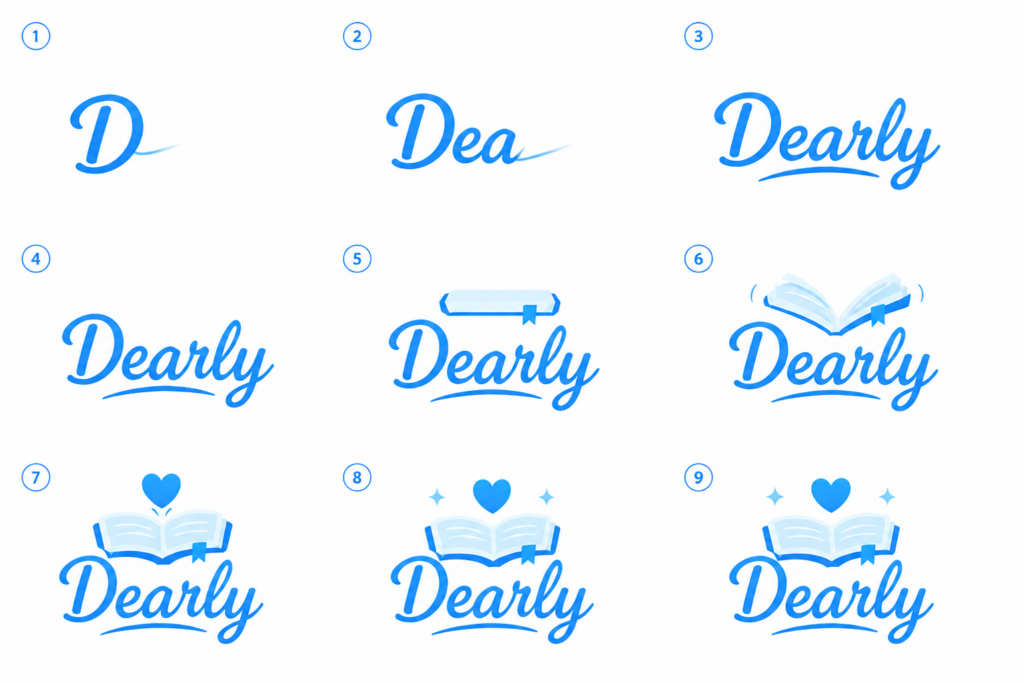
I had instead received frames.
I had not used AI to create videos before so I had a bit of trouble trying to decipher what each of these would need or how to even begin this process. So I turned to Adobe FireFly.

Adobe Firefly
Logo video creation
When trying to animate this logo I had gone in completely blind. I had no idea where to prompt it, I had clicked throughout multiple screens and found my own eyes going in spirals. I looked around before finding my goal and even then, I had found out just how simple and flexible Adobe made it.
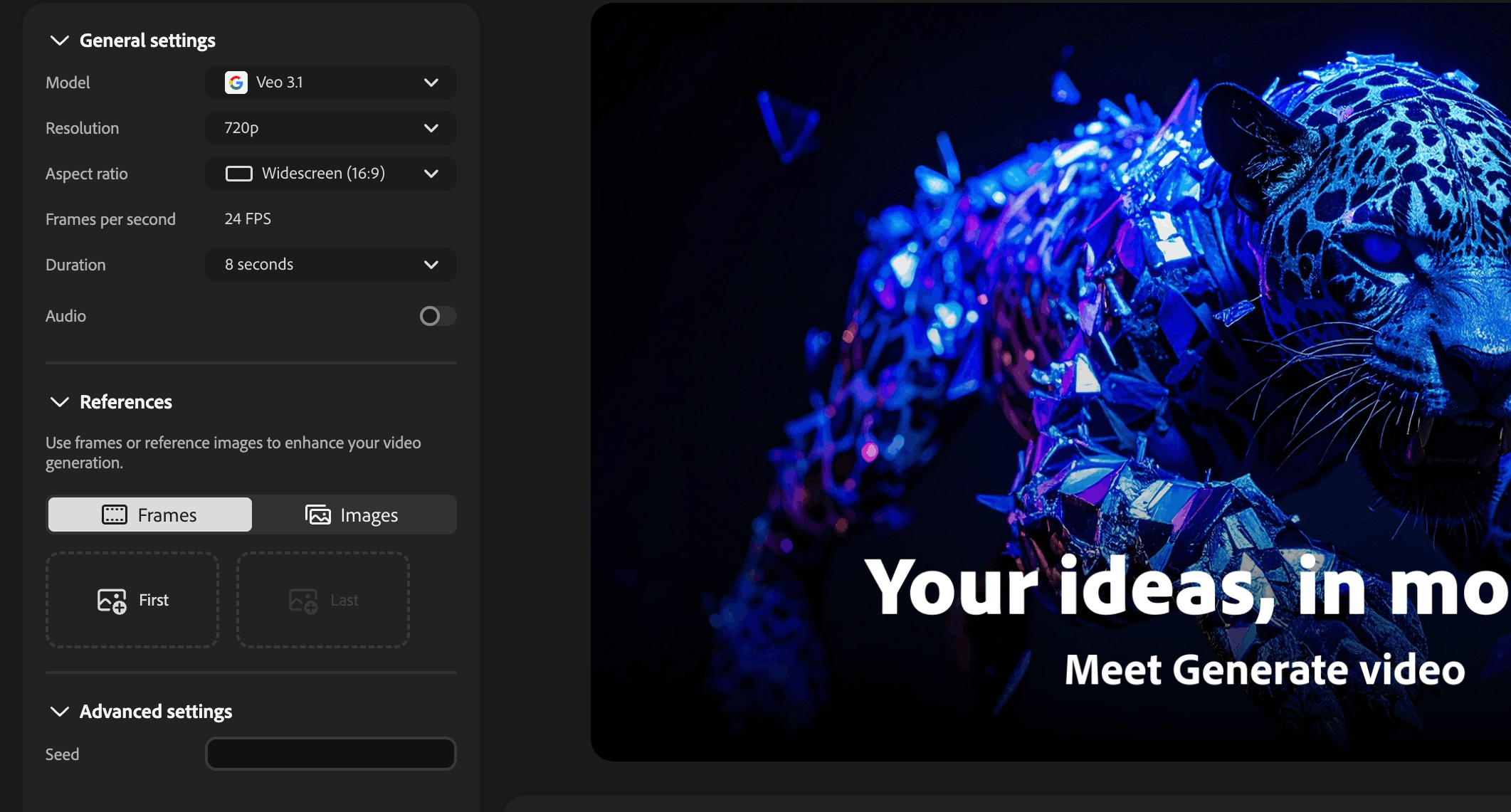
I had seen that the most I had to do was mess with duration and put my first and last frame and Adobe Firefly would do the rest. In the end, without even having to prompt it, Adobe Firefly took these two frames

First Frame

Final Frame
And created this beautiful animation. I found myself watching it over and over, but that’s not to say that was the first try. I had to go through a few options before I was closer to being satisfied. Unfortunately I was running low on credits and couldn’t go as far as I would have liked, knowing I had to wait since I would need them for a different class. Thus I moved on to more UI asssitance as at times I felt stuck trying to come up with a specific concept I had in mind. This is where Figma Make came in.
Figma Make
UI Design Assistance
Working with Figma Make provided to be more of a challenge at times rather than an assistance. I found myself having to mold it much more than I would the other applications and platforms. An example is bringing in my existing screens and asking for further information, seeing what else I could have done with the design I already had.
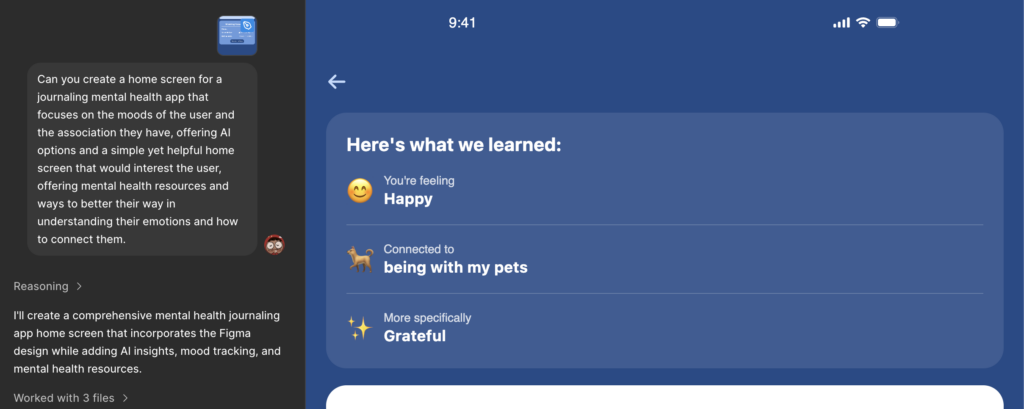
Some of the designs I had been given provided very helpful insights to include in my design. This includes:
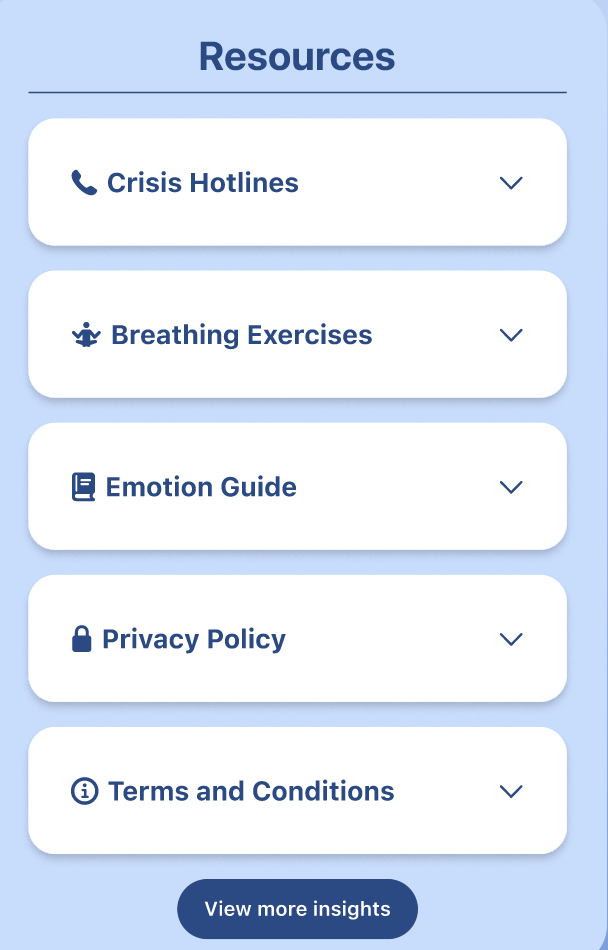
Resource Page
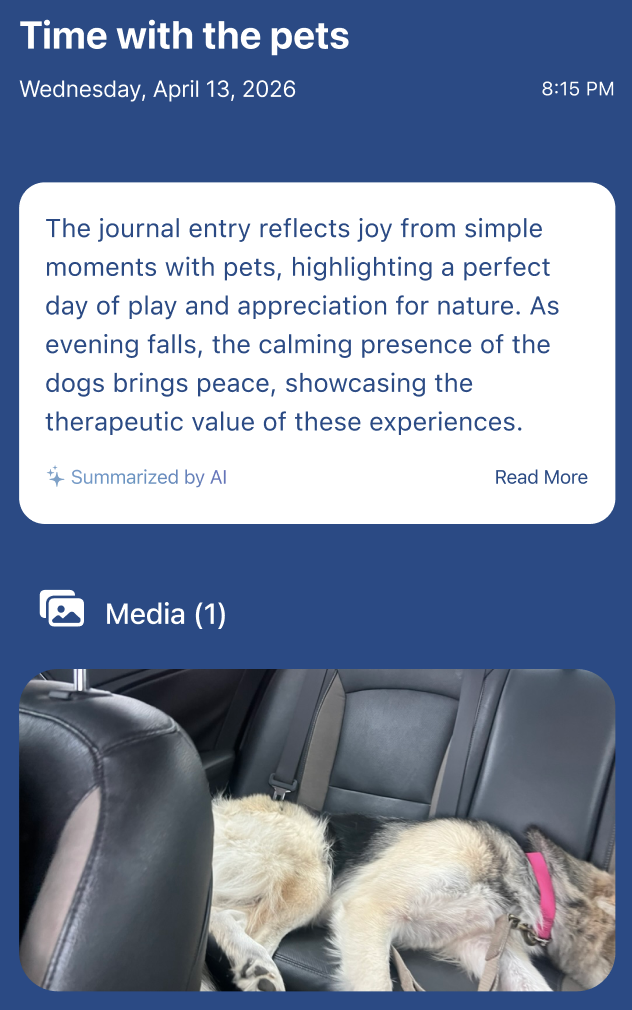
Entry Summary Formatting
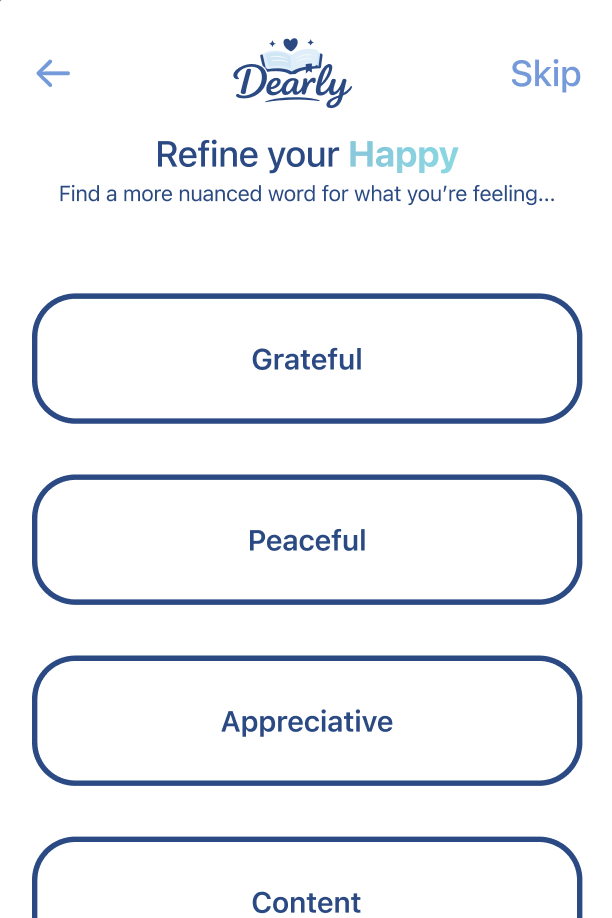
Initial Mood Processing
It had mostly been used as a way to check what I was missing, see what ways could be simplified and how to continue. It had given some more…lackluster results that made me stare and sigh, knowing that it worked very well as UI but lacked the context that many would use for a more complex nuance to approach the situation. This made it more of a cherry picking situation rather than a blind scoop.
Benefits and Challenges
Benefits
- Speed & Efficiency:
AI significantly reduced the time needed for ideation and writing UX copy. - Design Guidance:
Provided quick access to UX best practices, especially for AI interactions. - Clarity in Reflection:
Helped organize thoughts and articulate evaluation insights more clearly. - Idea Generation:
Offered alternative approaches I hadn’t initially considered.
Challenges
- Generic Responses:
Some outputs were too broad and required refinement to fit my specific app. - Over-reliance Risk:
It was important to critically evaluate AI suggestions rather than accept them blindly. - Context Limitations:
AI did not fully understand the nuances of my specific design without detailed prompts. - Iteration Needed:
Multiple prompts were often required to get useful, relevant results.
Division of Labor
AI played a supportive but not authoritative role in this stage of the design process.
- My Role:
- Defined the design problem and user needs
- Created and iterated on the prototype in Figma
- Interpreted feedback and made final design decisions
- Ensured usability and alignment with project goals
- AI’s Role:
- Assisted with ideation and brainstorming
- Generated UX writing and suggestions
- Helped structure evaluation and reflection
- Provided general UX and AIX guidelines
Reflection
During this process it was a tough spot. I had actually found myself taking my own advice. With nearly losing my aunt and visiting the hospital often, struggling with finances and living situation, dealing with so many personal issues and then falling behind on academics, I had actually sat and found myself looking at this app and thinking:
What would I want in this mindset? What would help me to help me understand what I’m doing and how I’m feeling?
This helped me try to think of things while speaking to my therapist friend. I used the feedback from my classmates as well as those who initially tested my app in its early days. I had thankfully been able to sit there and physically journal, even journaling on my Apple app. It takes a lot out of you which inspired me to focus more on the calming and reassuring side of journaling, helping those to slow down and breathe since it can be so much to put down at once. I found myself yearning for an app like this and decided I would be the one to do it. It made me think of how to continue working on it and how to make it even better beyond this semester.